Version 1.1.0
What's New in Hbot 1.1
Large-document support, compression tools, signatures, Word ↔ PDF conversion, a reworked UI, and automatic updates — still 100% free and 100% offline.
Screenshots
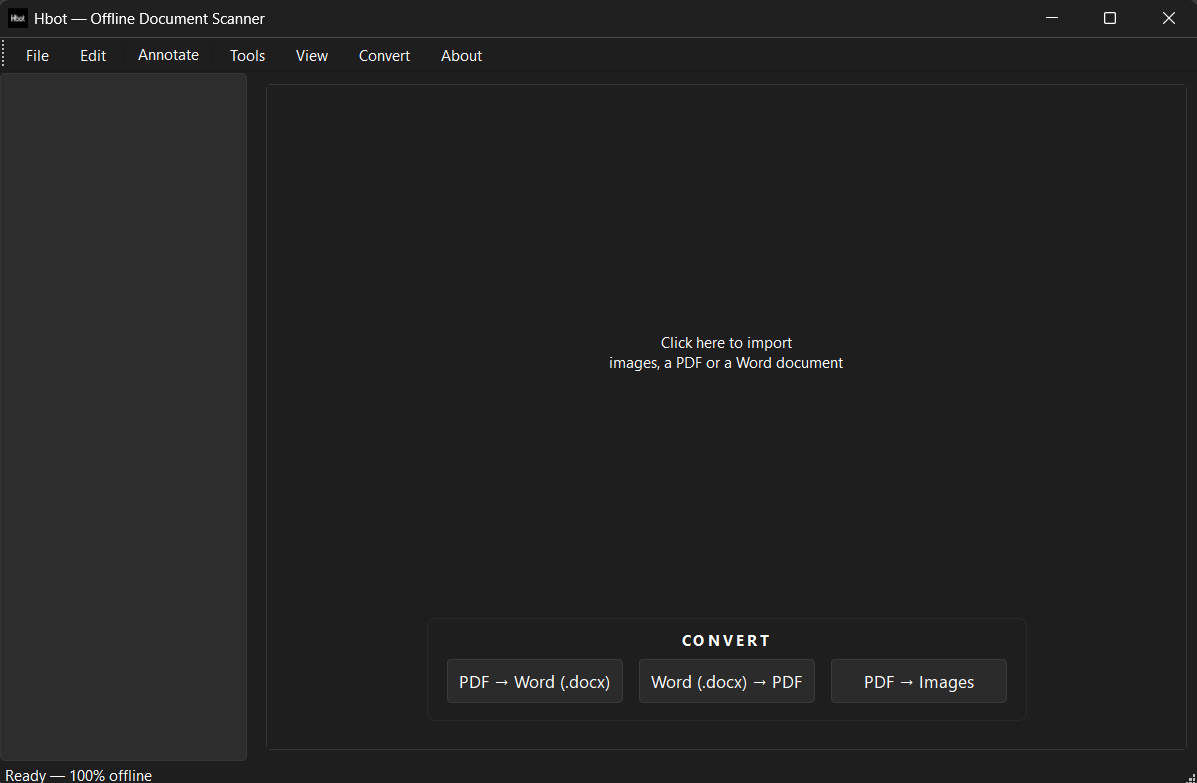
Big files, small app
- Large PDFs (15–20 MB and beyond) now import smoothly — pages render at an adaptive resolution with a progress bar, and are held JPEG-compressed in memory. No more crashes on big documents.
- The app itself is dramatically smaller: unused Qt modules and dead DLLs are stripped from the build, saving hundreds of MB.
New tools
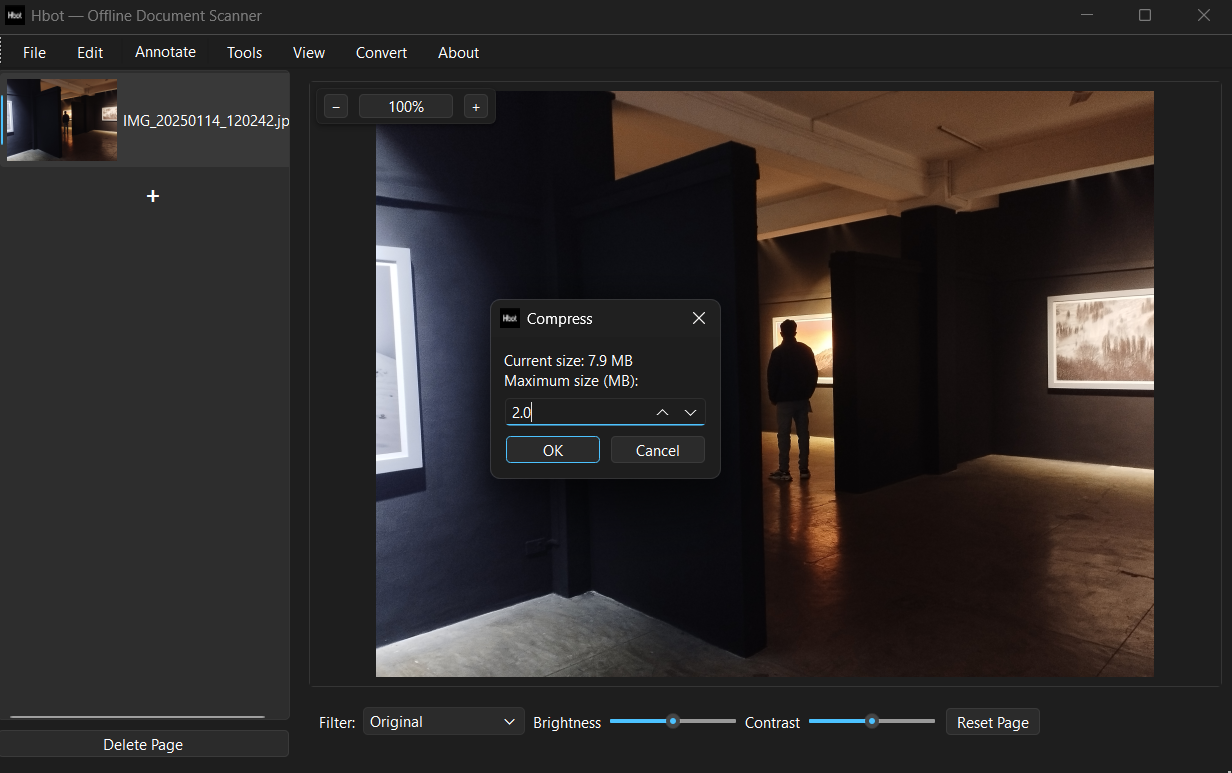
- Compress PDF / Compress Image — enter a maximum size in MB; Hbot compresses in stages (lossless clean-up → image recompression that keeps text selectable → rasterize only as a last resort).
- Sign documents — draw your signature with the mouse/trackpad or stamp a transparent PNG, then drag a box to place it.
- Word (.docx) → PDF and Import Word — via Microsoft Word or LibreOffice, whichever is installed.
- Undo / Redo per page (Ctrl+Z / Ctrl+Y), with slider edits coalesced into single steps.
Reworked UI
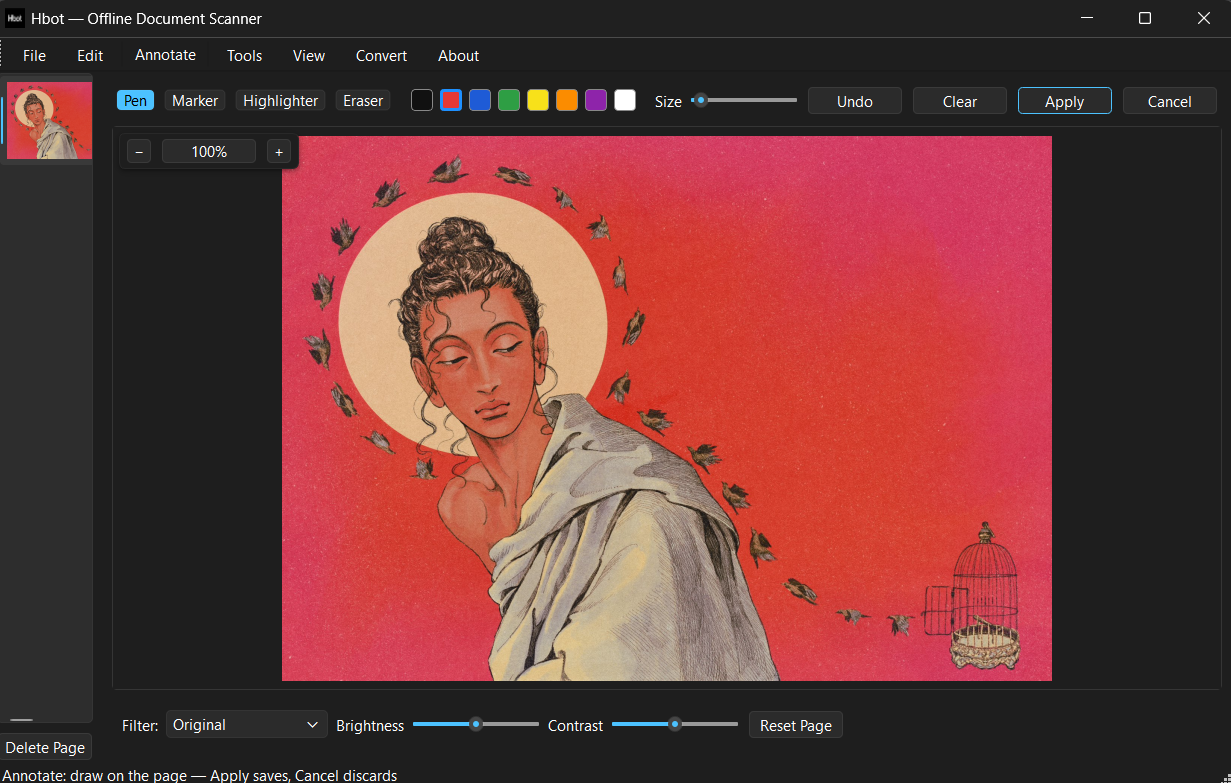
- Annotate in the main window — pen, marker, highlighter and eraser draw directly on the preview; Apply saves, Cancel discards.
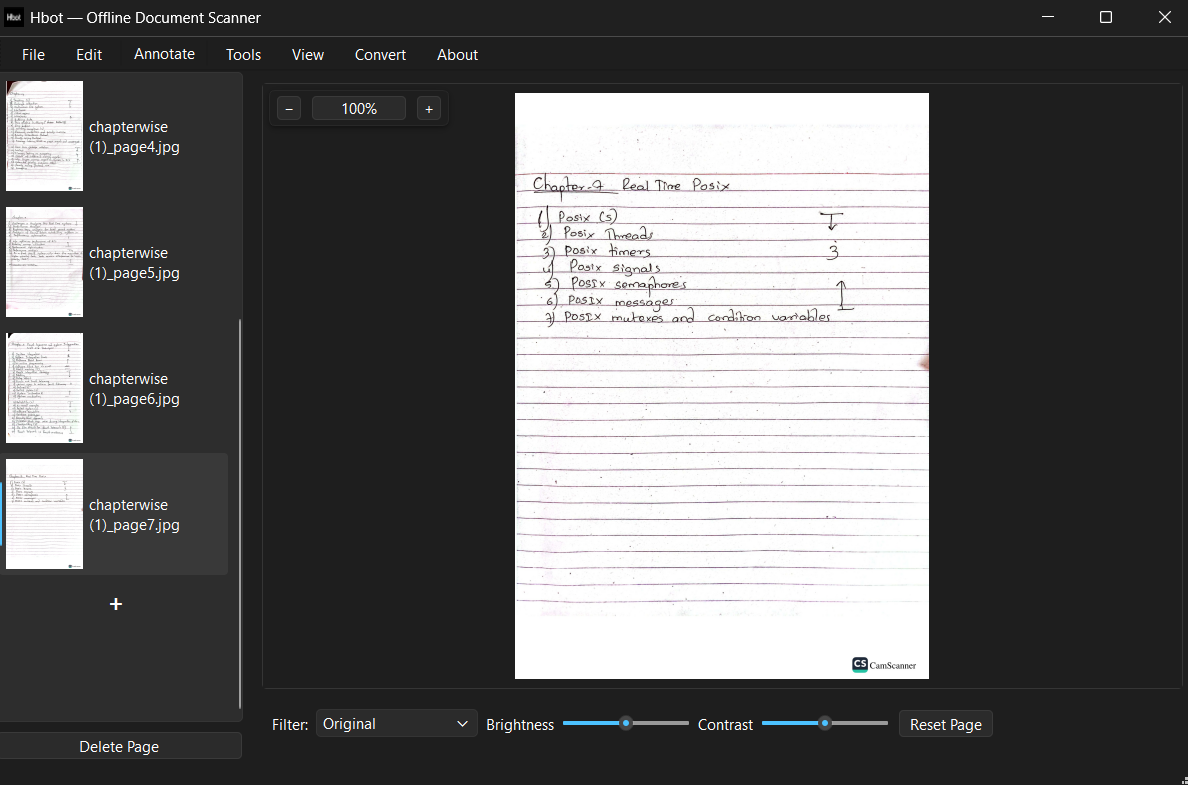
- PowerPoint-style page list — right-click pages for Cut / Copy / Paste / Delete (Ctrl+X/C/V work too), drag to reorder, and a + entry at the end imports more files. Long file names wrap to fit the panel.
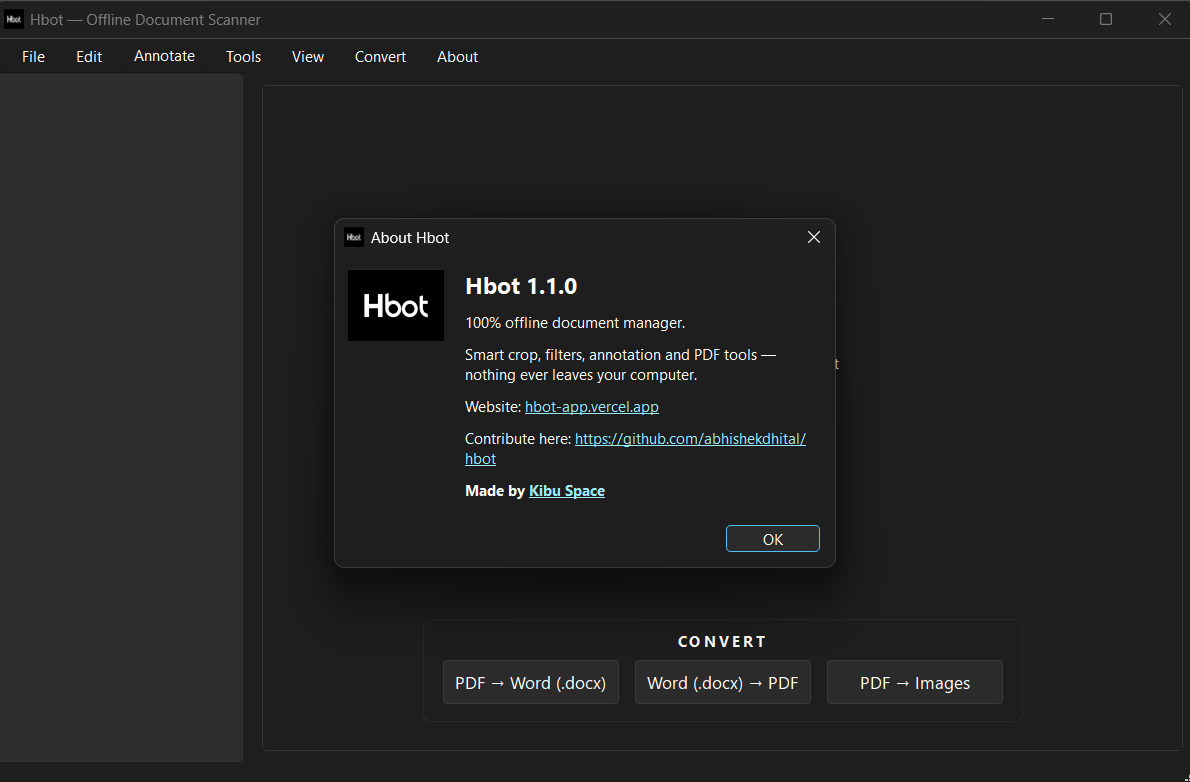
- Clean homepage — with nothing loaded you get a click-to-import hint and a CONVERT panel with three big shortcut buttons; zoom, filter and adjustment controls appear only when a page is open.
- Zoom & pan — zoom controls float above the page on a themed panel with a drop shadow, and a zoomed page can be dragged around with the mouse in any direction.
- Two-pane How to Use — every menu documented left-to-right, navigation on the left, details on the right.
Updates & distribution
- Automatic update notifications — Hbot checks for a new release a few seconds after launch (and via About → Check for Updates…). If an installer is available it downloads and installs it for you.
- Builds avoid UPX packing and the About dialog contains no email addresses (download-portal friendly).
- Removed: Find in Page (OCR search) — unreliable, may return later.
Menus at a glance
File
Import Images, Import PDF, Import Word (.docx), Export PDF, Export Image, Print…, Rename Page…, Exit
Edit
Undo, Redo (Ctrl+Z / Ctrl+Y), Smart Crop, Adjust Corners…, Split Book Page, Rotate 90°/180°/270°, Blur Region, Watermark…
Annotate
Draw directly on the page in the main window (pen / marker / highlighter / eraser); Apply saves, Cancel discards
Tools
Draw Signature…, Insert Signature Image (PNG)…, Compress PDF… / Compress Image… down to a chosen maximum size (MB)
View
Protect PDF…, Merge PDFs, Split PDF
Convert
PDF → Word, Word → PDF, PDF → Images
About
About, How to Use, Check for Updates…
Menu buttons have no dropdown arrow — the hover highlight shows they're clickable.